
Typing every expense doesn't last.
A chai here, an auto there. Logging each one by hand is a chore, so most budgets are abandoned within a week.
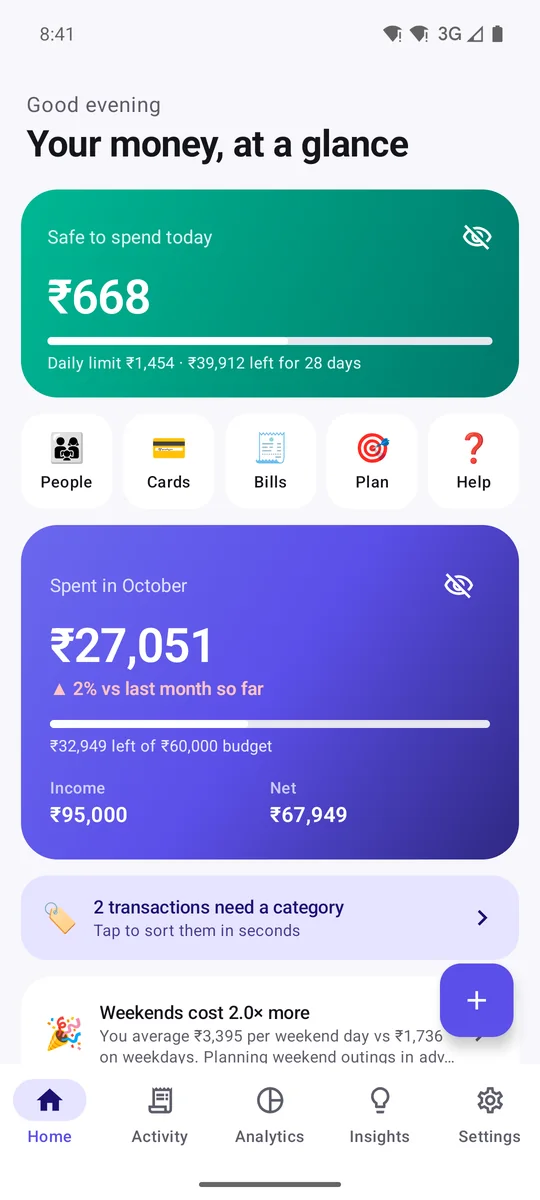
Every time you pay, your bank sends you a payment alert. Unspend turns those alerts into a simple budget, right on your phone, for free. No sign-up, no bank password, and nothing is ever uploaded.
Fair question. Here is the reason, the worry, and exactly what we do about it.
A chai here, an auto there. Logging each one by hand is a chore, so most budgets are abandoned within a week.
After every payment your bank texts you the amount, where you paid and your balance. Reading those alerts is the only way to track automatically without asking for your bank password.
That worry is healthy: messages are personal. So Unspend is built so your messages can't go anywhere. Here's how.
Dinner at 8? Get curd on the way
IgnoredRs 450.00 spent on A/c XX7788 at ZOMATO
Read on phone482913 is your OTP. Do not share it.
IgnoredA/C X4521 debited by 120.00 to Rapido
Read on phoneFlat 60% off this weekend only!
IgnoredEverything below happens on your phone. There is no Unspend server, so there is nowhere for your data to go.
No sign-up, no email, no bank connection. We can't see, sell or leak what we never receive.
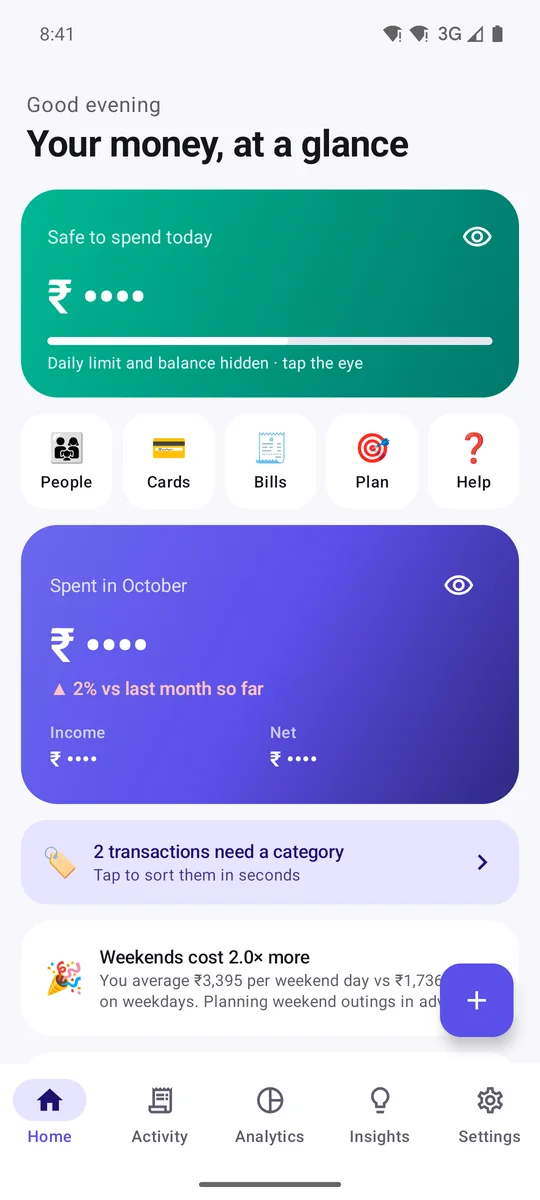
The database is encrypted. Add an app lock, hide amounts until your fingerprint, and block screenshots.
The free plan shows at most 2 ads a day from Google AdMob. Ads get no SMS, amounts or payees. Premium has none.
Clear everything in one tap, or uninstall: your data goes with the app. Backups are files only you can open.
A real, unedited screen recording: Wi-Fi and mobile data are switched off, a bank alert arrives, and Unspend records it, files it and counts it. With nothing to connect to, nothing can be uploaded.
The free plan only goes online to load ads, and Google Play handles purchases and updates. None of them receive your messages or money data.
Say which accounts are yours. New ones wait for your OK and aren't counted until you say so.
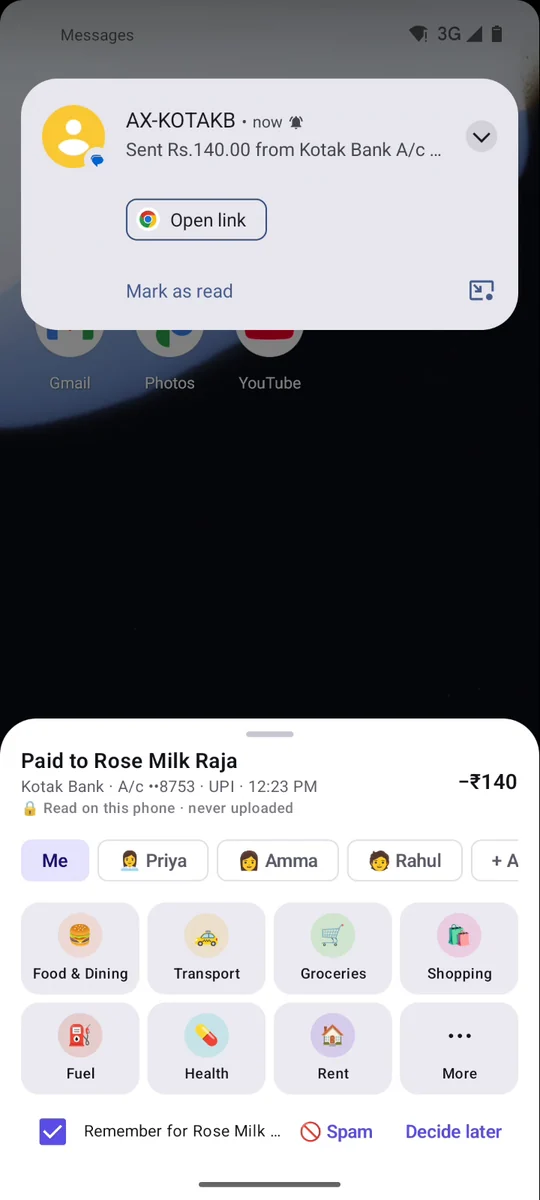
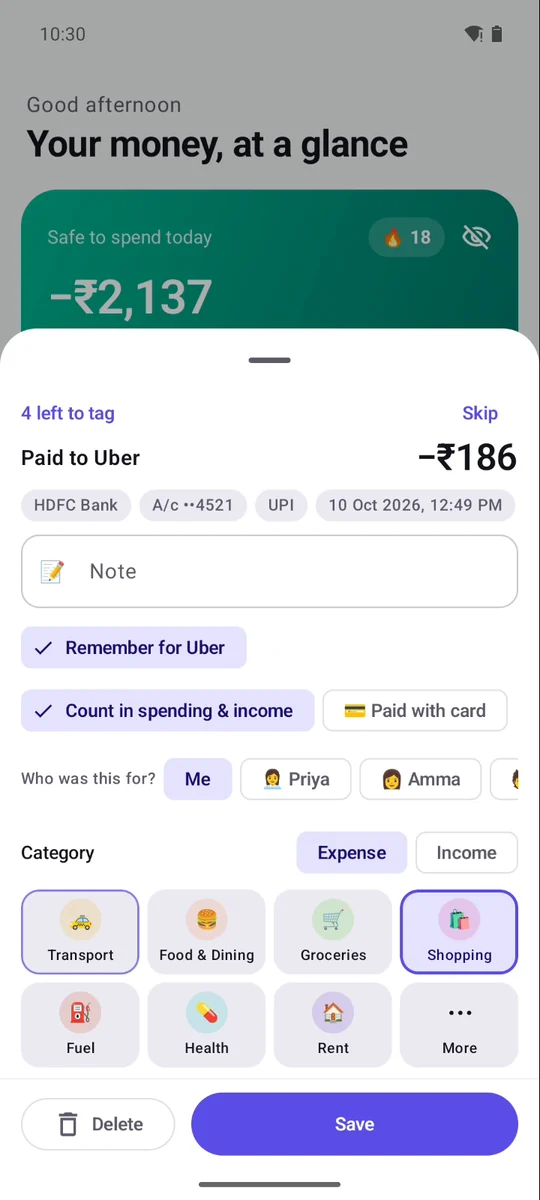
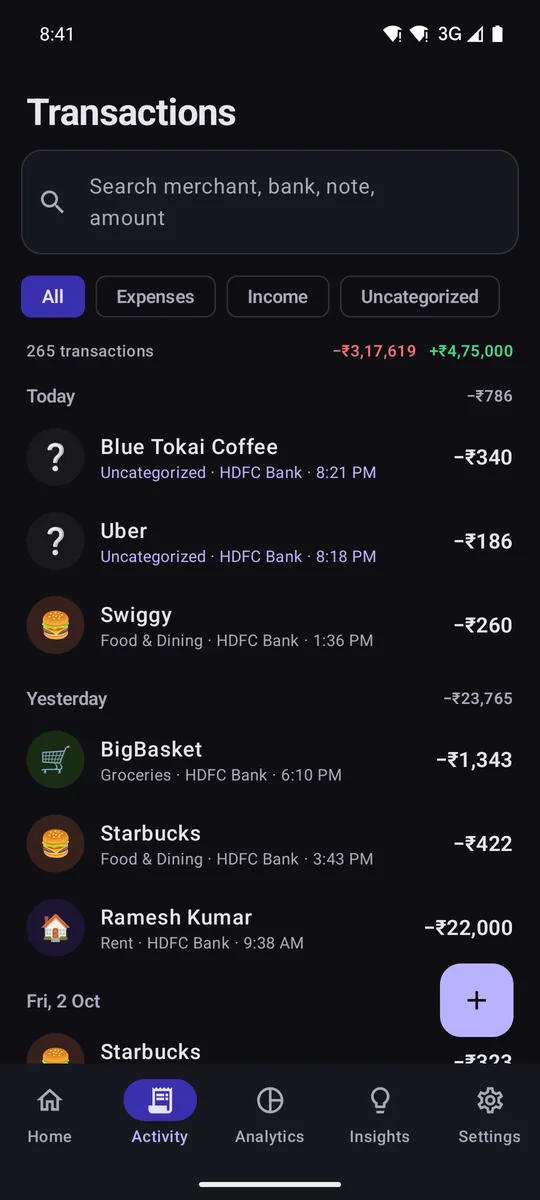
Known shops and people are filed for you with a quiet notification. New ones take one tap.
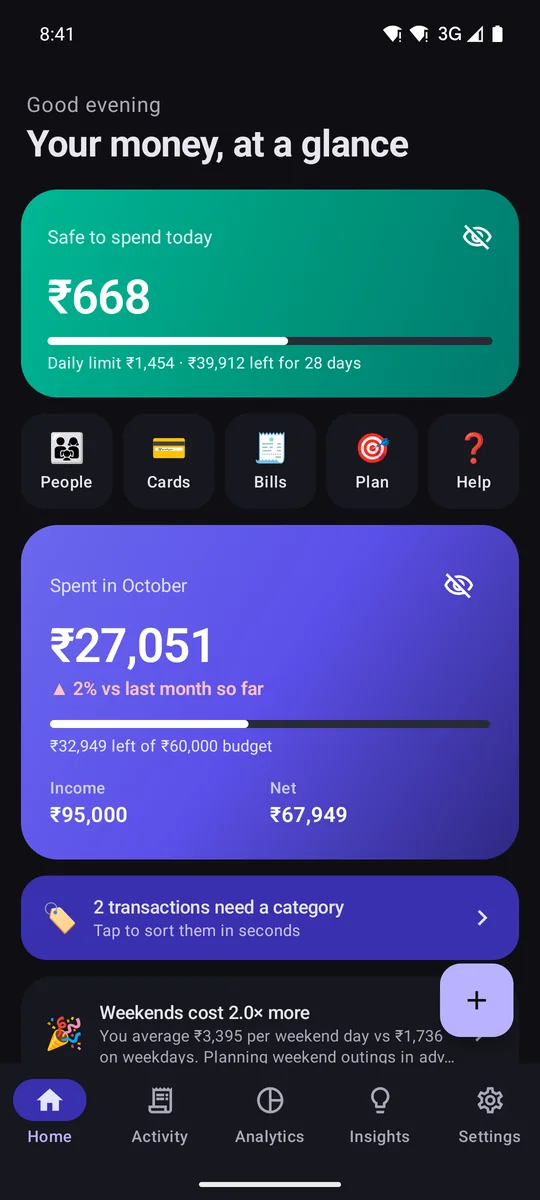
Your balance, minus bills and EMIs still due, spread over the days left.
Real screen recordings with demo data, including the internet-off test. No mock-ups.
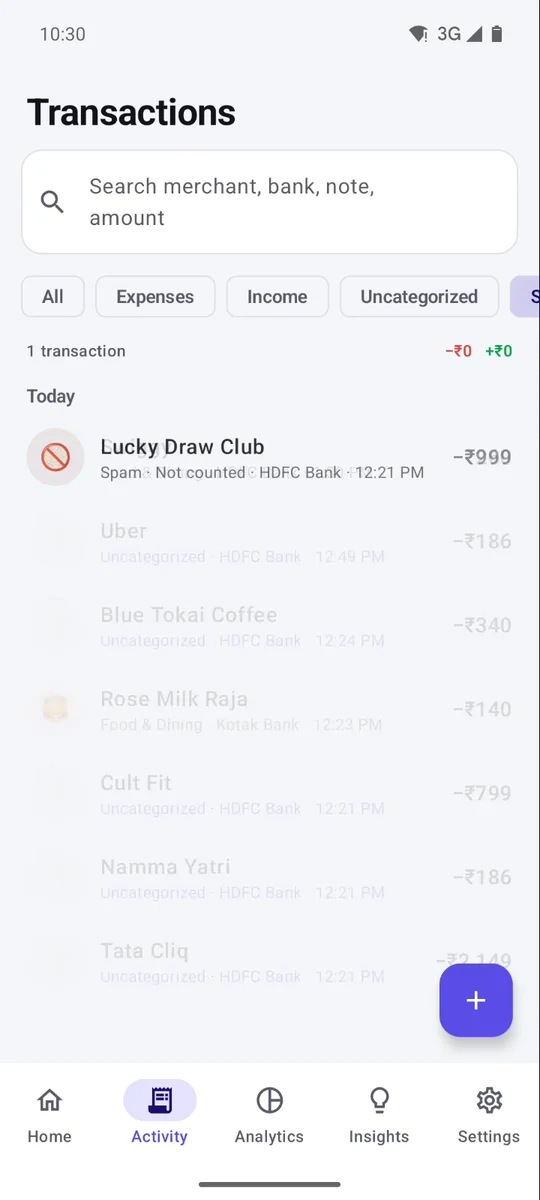
Debits and credits from 120+ banks, cards and wallets, in any currency. OTPs, offers and spam are ignored.
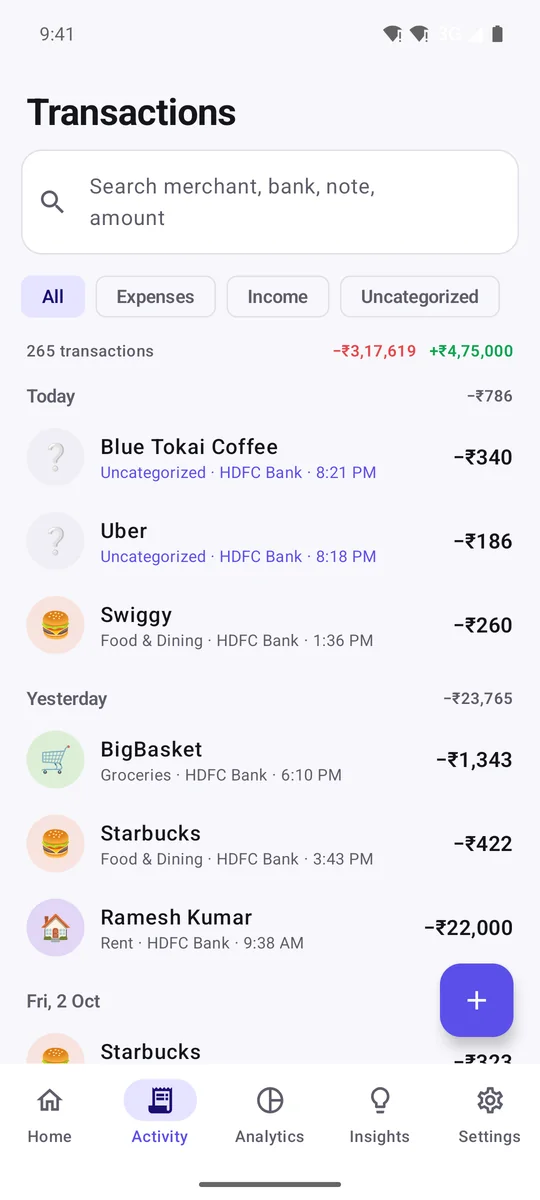
Shops and people you've tagged before are filed automatically, with a notification to change it. New ones take one tap.
Your data is stored with AES-256 encryption, the key held by Android's Keystore. No account, no servers, no cloud. Amounts stay hidden until you unlock, and you can block screenshots too.
See what each deposit is worth today, its interest and maturity date, and for loans the outstanding, EMIs left and interest still to pay. Unspend finds the ones you already have in your bank SMS, and reminds you before maturity and EMIs.
From your real balance, minus what's still due. Moving money to savings is never counted twice. Keep a streak going.
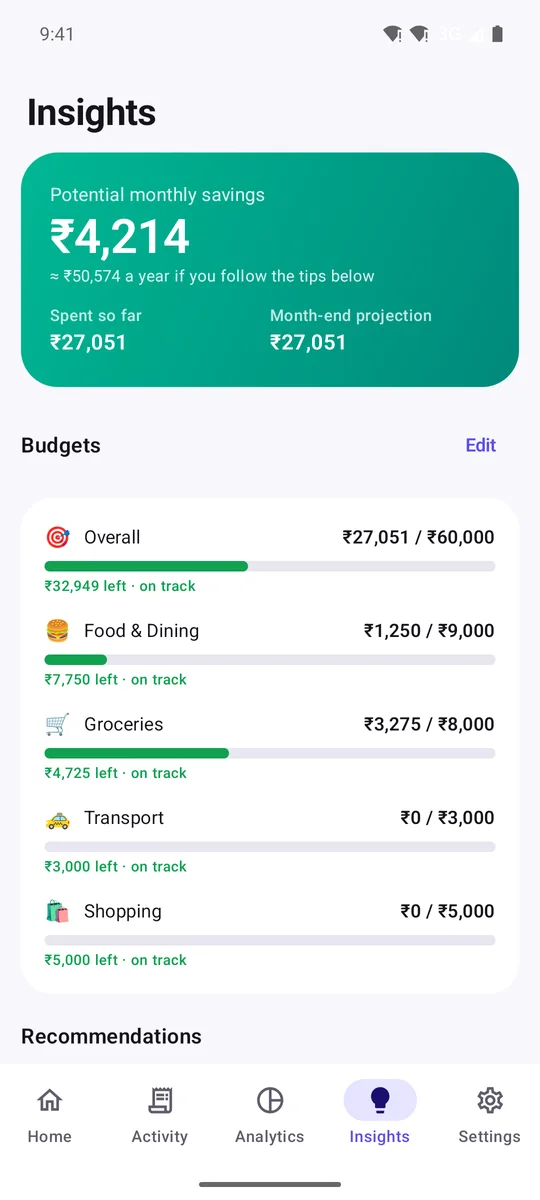
Your two most useful tips up front: spending pace, bills due this week, FDs maturing, what a loan prepayment would save.
Each bank gets its own page with balance, spending and trends. Cards are told apart from accounts, and you can always correct the type.
Encrypted backups daily, weekly or monthly to a folder you pick. Nothing is uploaded.
Reminders for bills and card dues, per-person budgets and money owed to you.
Six home-screen widgets, dark themes, any currency, and 11 languages including Hindi, Tamil and Arabic.
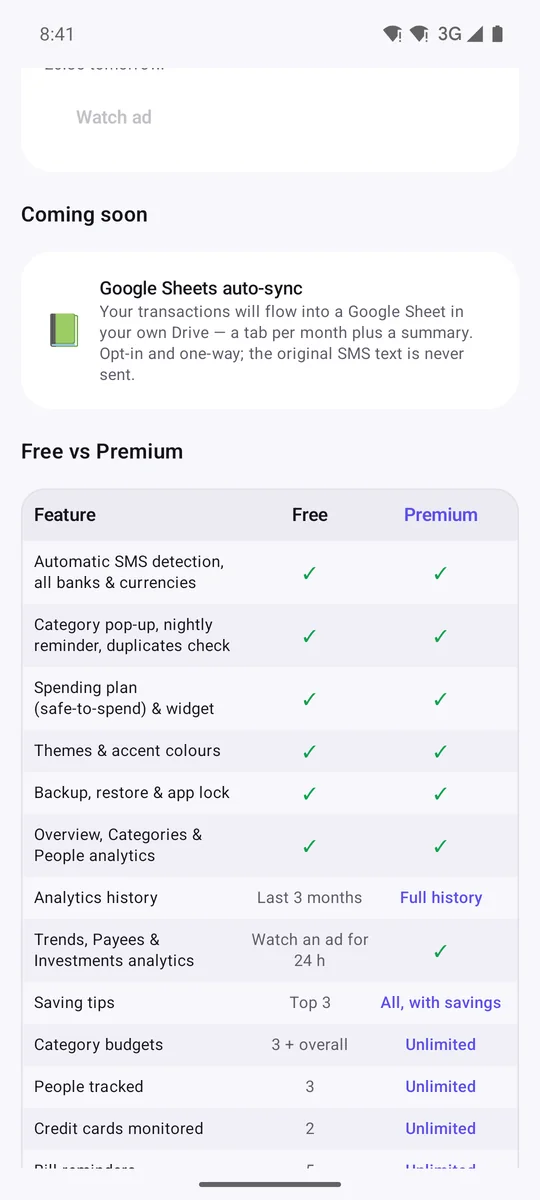
Full history, trends, payees and investments, every saving tip, CSV & PDF reports, and an EMI check against your real spending.
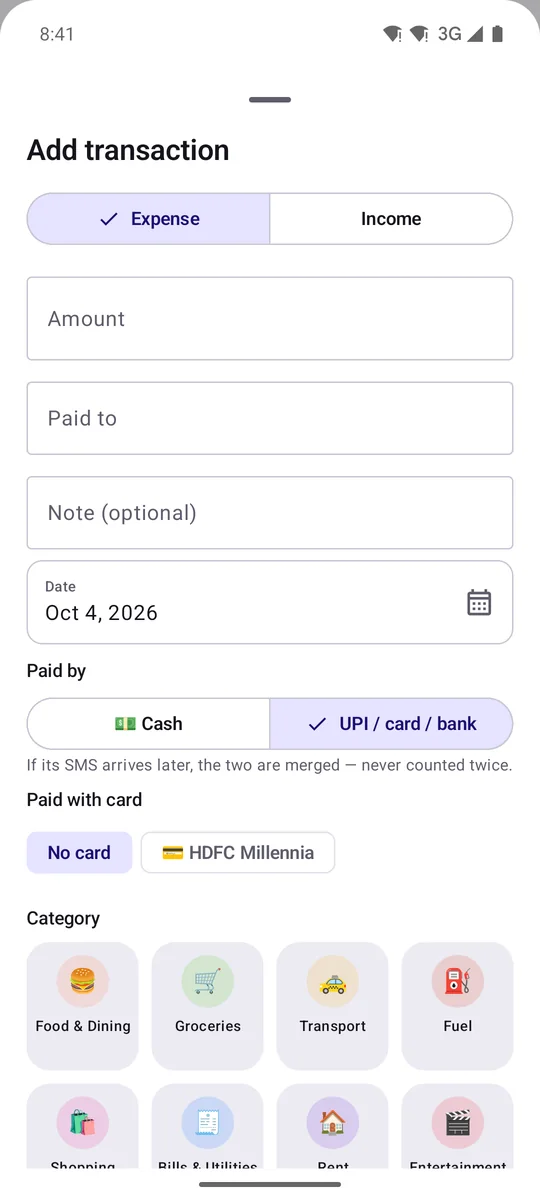
Paid cash? Tap the bubble and type "250 auto yesterday", or say it. Amount, payee, date and category are filled in on your phone.
An alert from an account you haven't saved is kept aside and not counted until you choose: Mine, same as one of your accounts, or not mine.
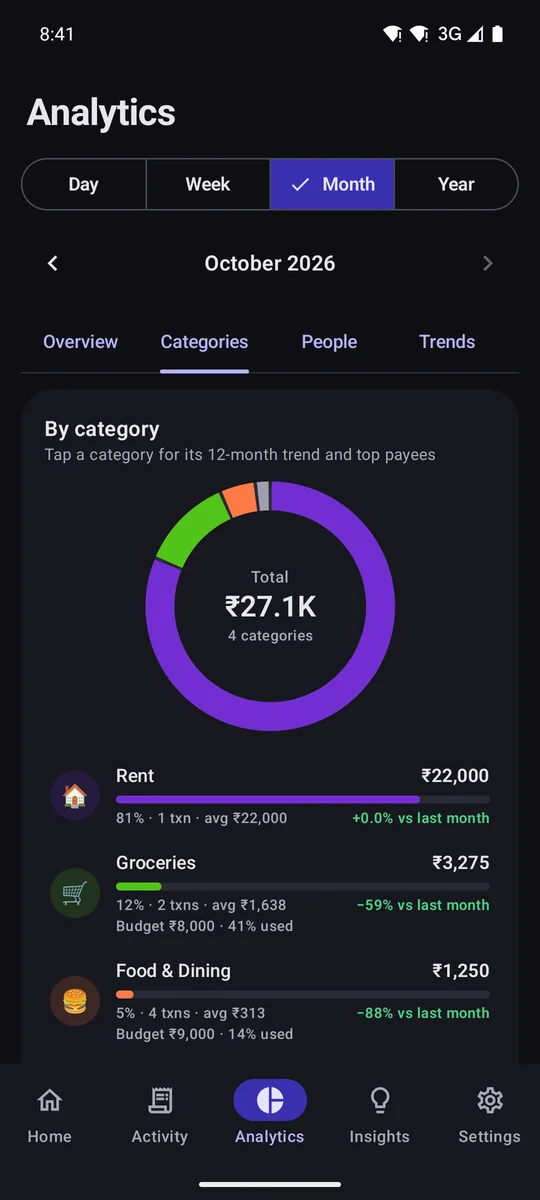
Captured straight from the app. Drag or scroll sideways, and tap any screen to enlarge it.
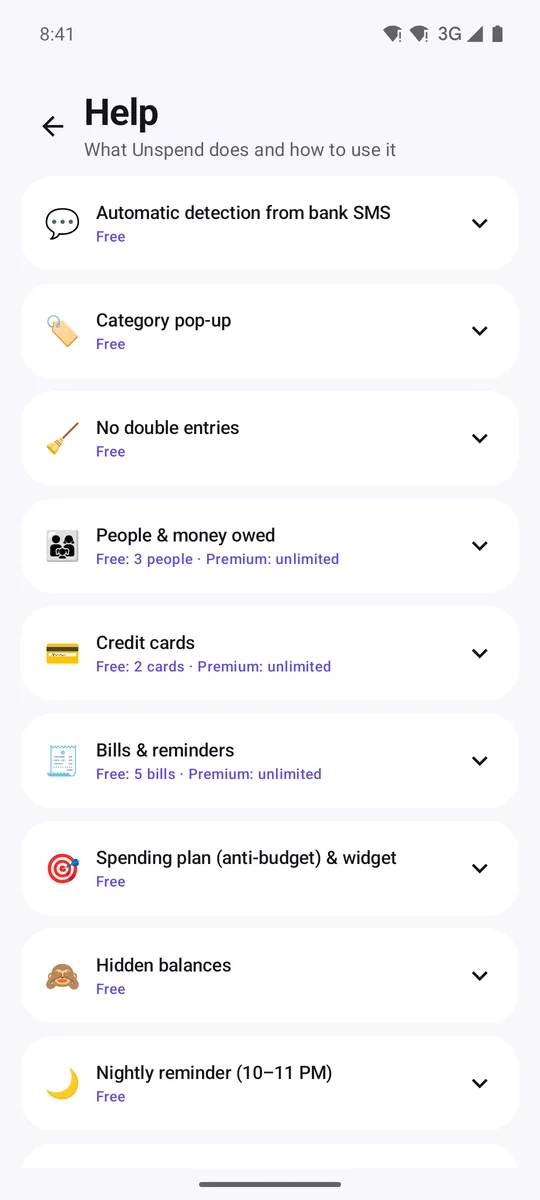
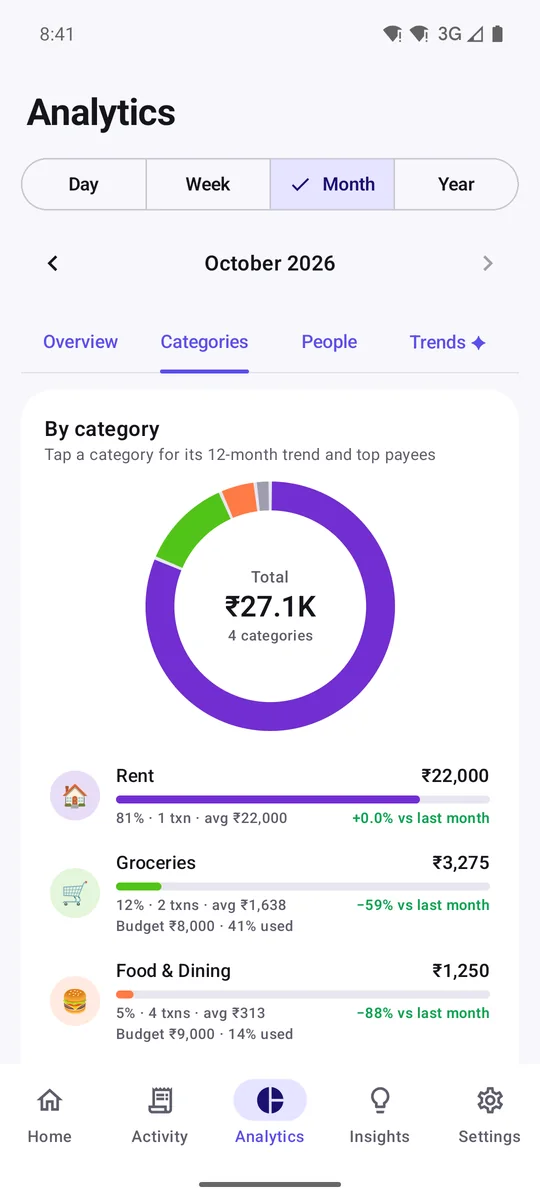
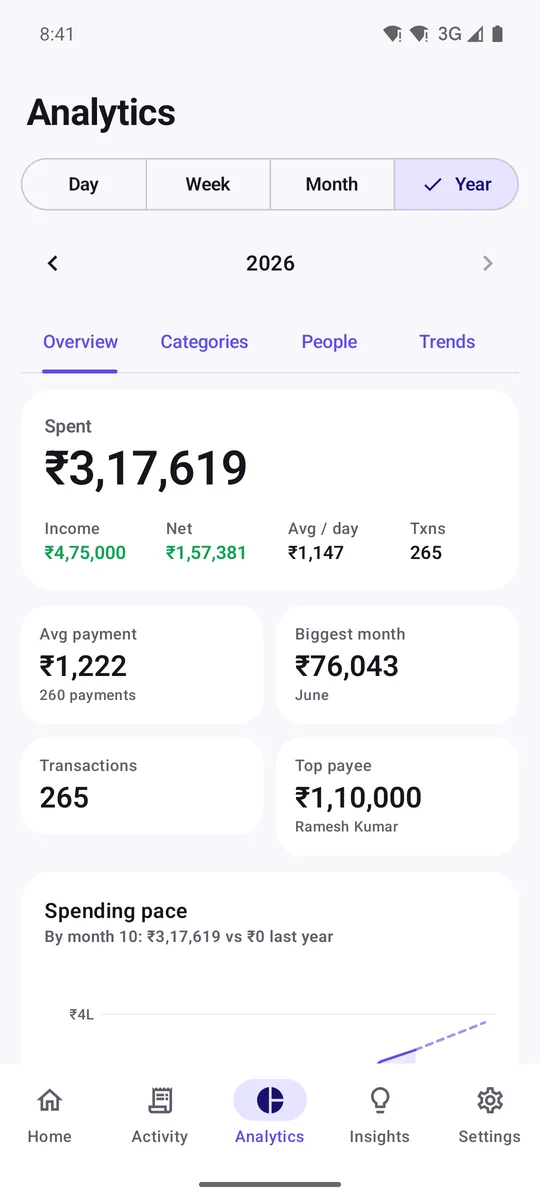
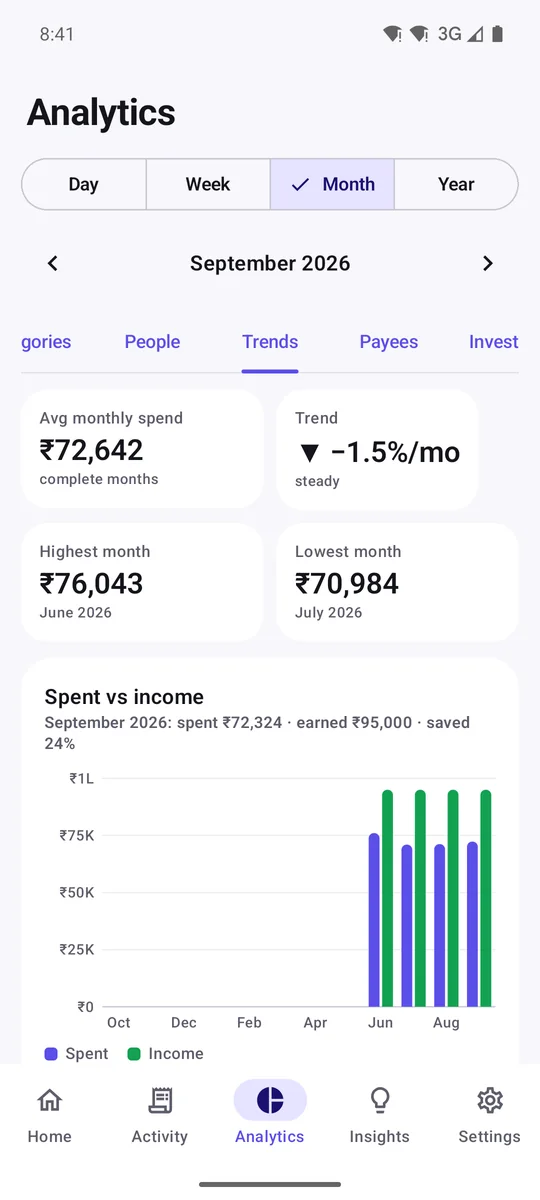
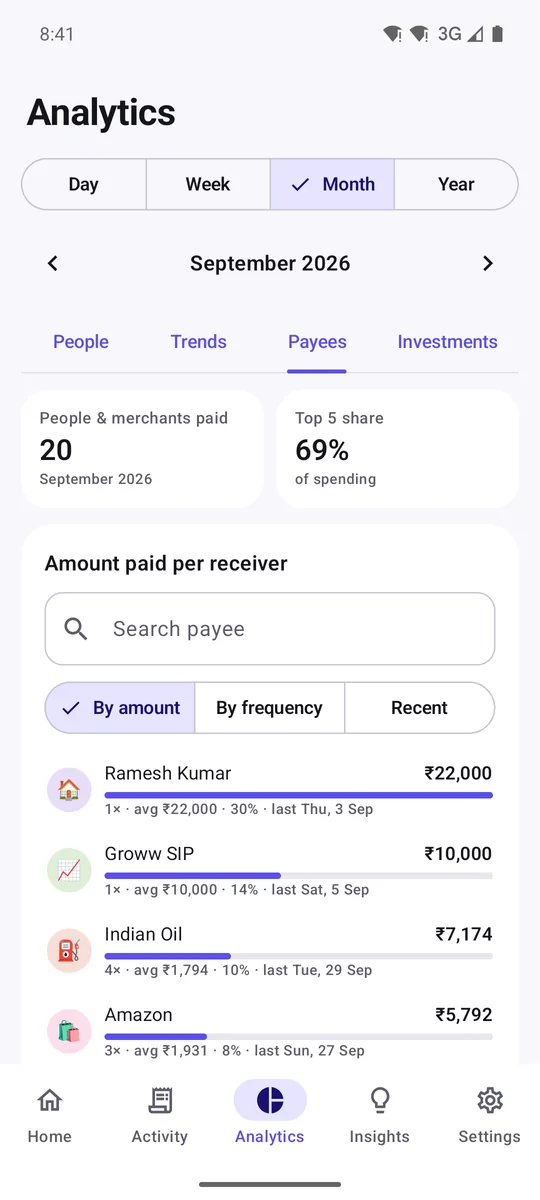
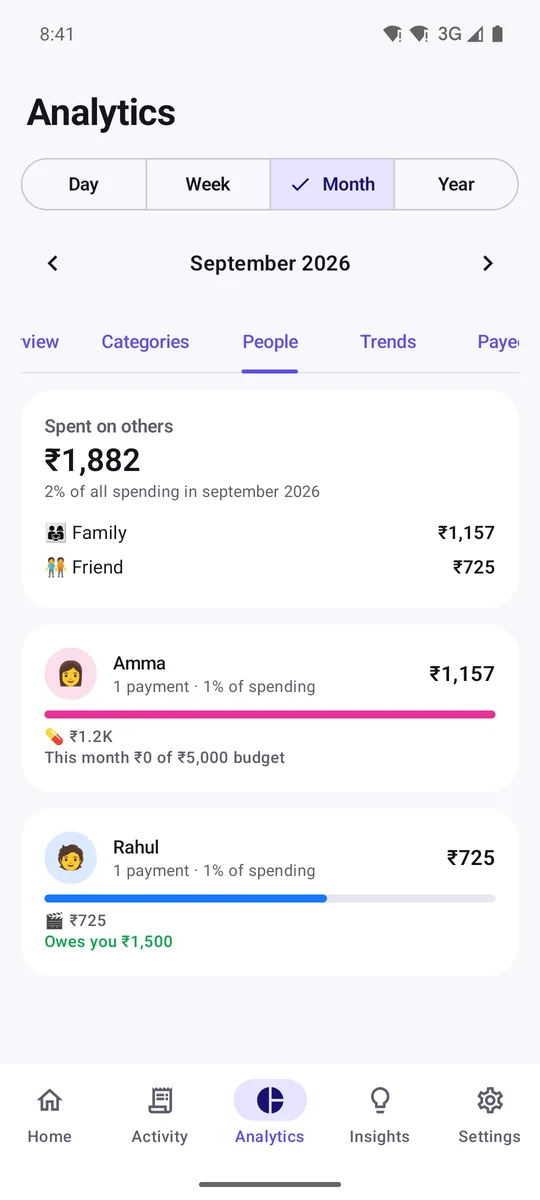
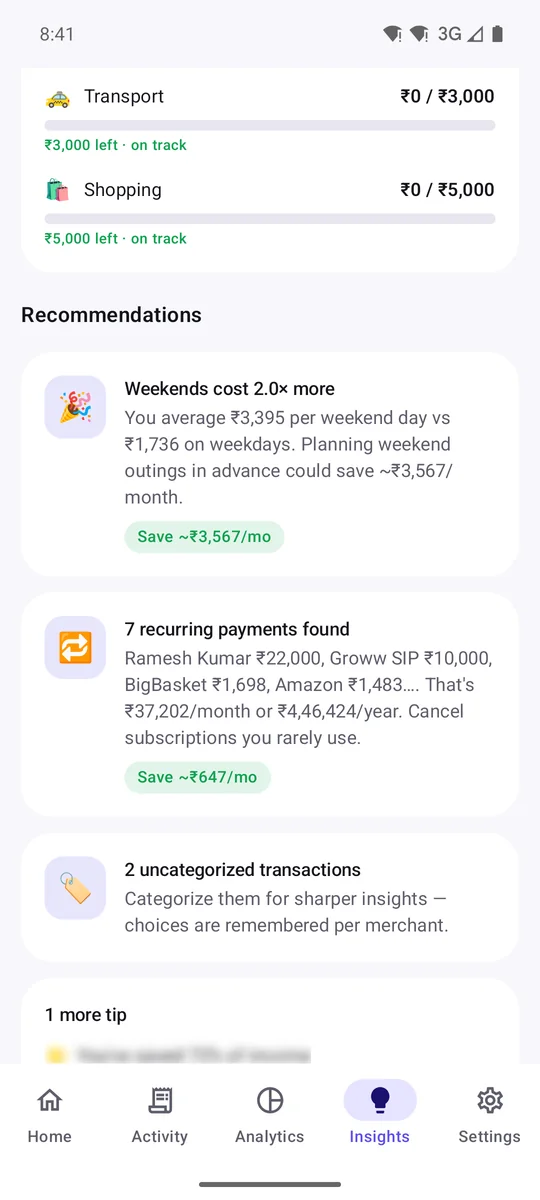
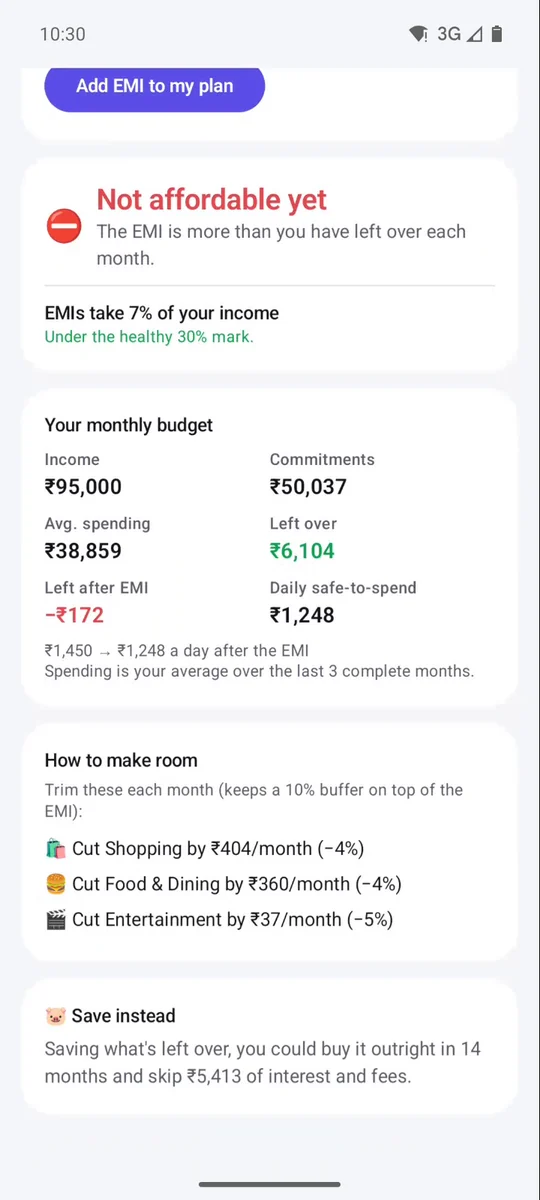
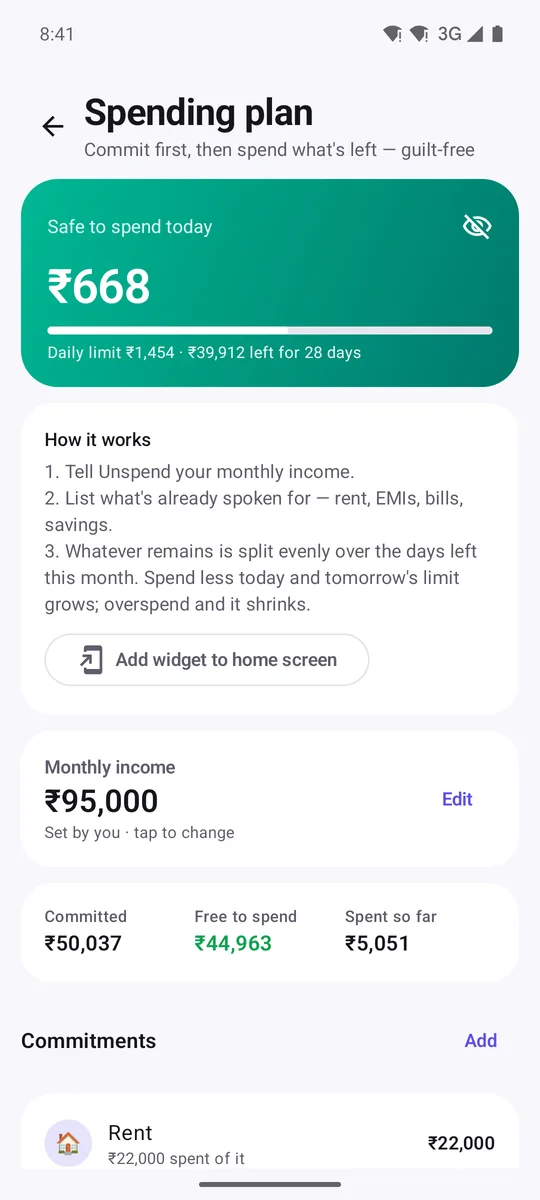
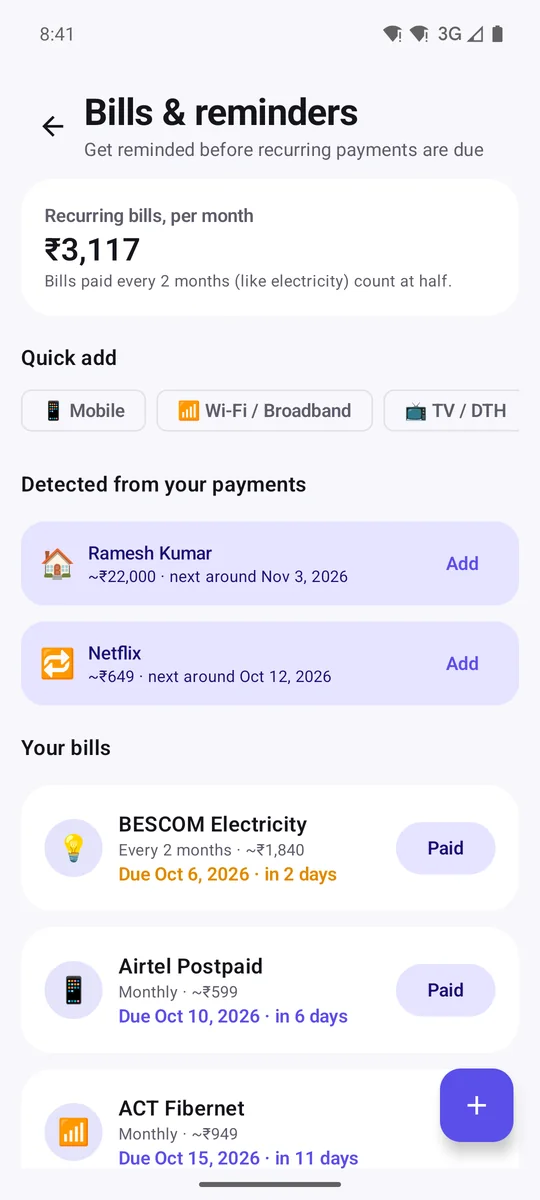
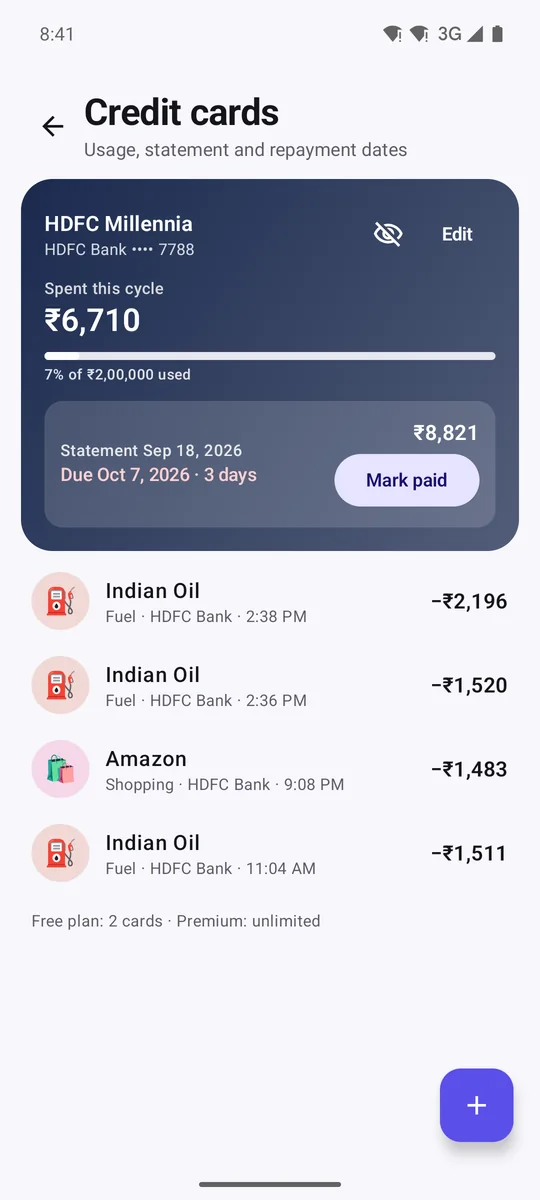
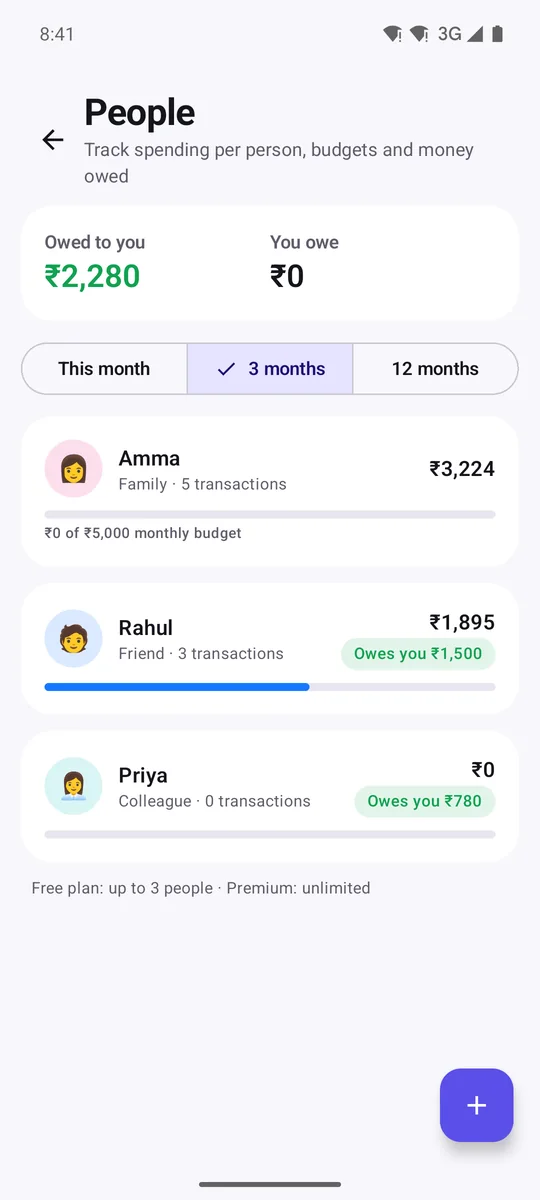
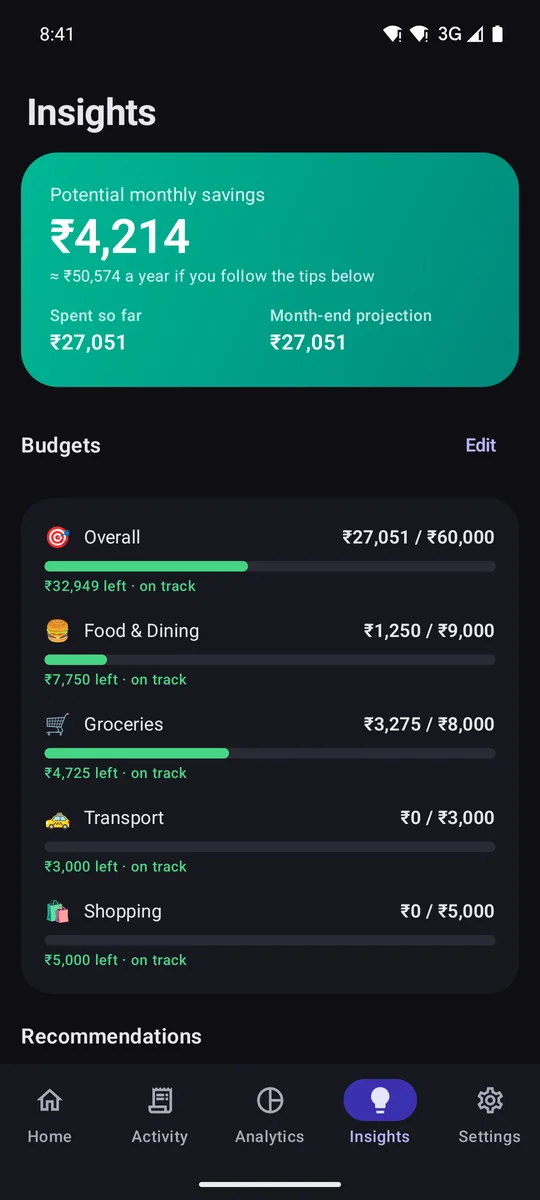
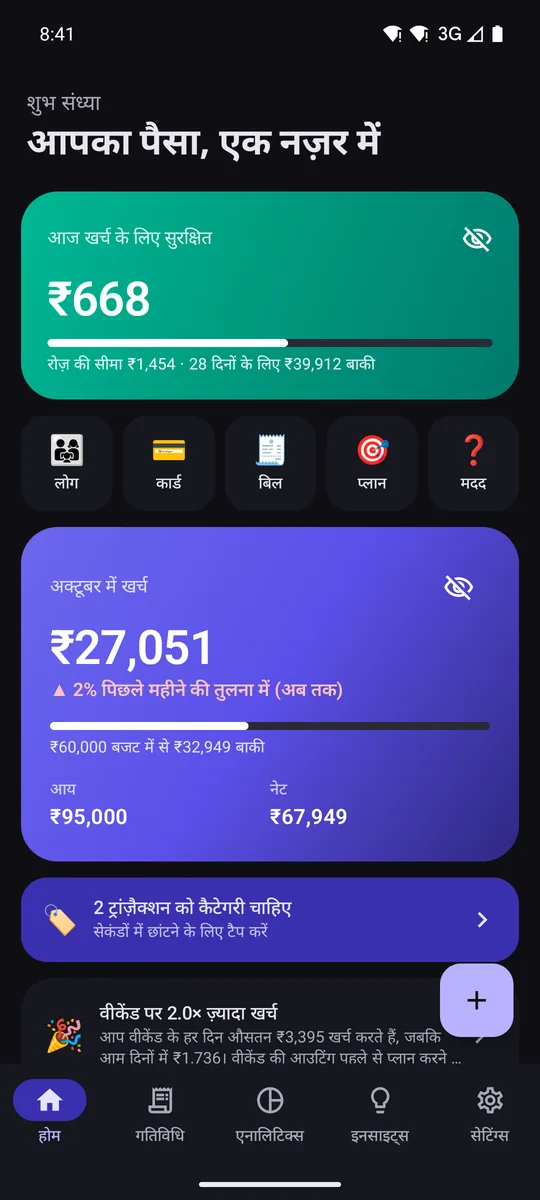
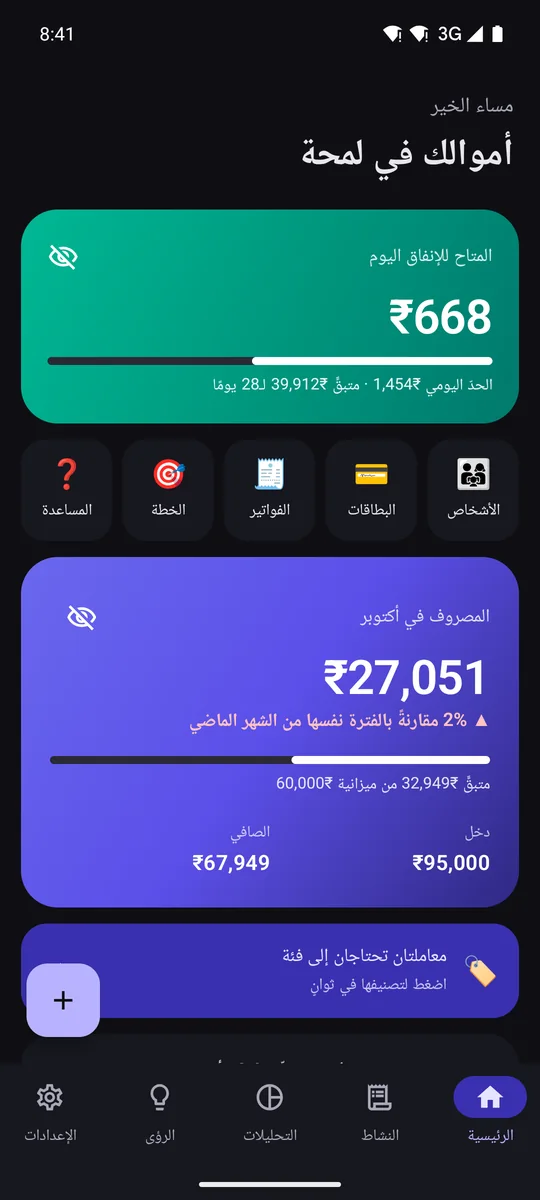
No servers, no accounts, no bank connections. We can't see, sell or leak your data, because we never have it.
AES-256 (SQLCipher), with the key held by Android's Keystore.
No sign-up, no email, no bank credentials.
Encrypted with your own key and saved where you choose.
At most 2 ads a day on the free plan, never banners, none in week one.
On both plans your data stays on your phone. Payments are handled by Google Play.
Yes. Automatic tracking, auto-filing, quick add, the daily limit, deposits and loans, widgets, encryption and backups are free forever, with no trial and no card. Premium is optional and adds deep analytics, reports and no ads.
No. Only payment alerts from banks, cards and UPI apps are used. Chats, OTPs, offers and messages from normal phone numbers are skipped, and nothing is sent anywhere.
Yes, fully. Turn off Wi-Fi and mobile data and everything keeps working: new alerts are recorded, and analytics, your daily limit and backups all work. See the recording above.
No. There are no servers and no accounts. Your data lives only in the app's private storage, encrypted with AES-256, and Android's cloud backup is switched off for it.
Only for the free plan's ads (Google AdMob), and for Google Play purchases and updates. None of them receive SMS or financial data. Premium shows no ads.
New accounts wait on Home and aren't counted until you choose. Mark it "Not mine" and its alerts are ignored from then on.
Open Deposits or Loans and tap Find in my SMS. Unspend finds bookings, instalments and EMIs on your phone. You pick FD or RD, and the start date, instalments and interest are filled in.
It can't be recovered, by you or by us, so pick one you'll remember.
120+ banks, card issuers and wallets: all major Indian banks plus Paytm, PhonePe and Google Pay, and banks across the Gulf, Asia, Europe, the UK, the US and Africa.
No. iOS doesn't let apps read SMS, so Unspend is Android-only (Android 9 and newer).
Unspend is in testing on Google Play. It's free to join: get every update first and help shape what comes next.
🔒 No account, no sign-up. Your data stays on your phone from day one.